
Key Takeaways
- Keep credentials out of your project. A connection lives in your LangSmith workspace, not in
.envand not in the build. Rotate or revoke it without touching code or redeploying. - Give each caller their own identity. A user-owned connection resolves to whoever is asking, so the ticket your agent files carries their handle rather than a bot’s.
- Skip the OAuth plumbing. Managed Deep Agents runs the authorization round-trip. No callback route, no token store, no refresh logic, no consent screen in your project.
Connections are available now in Managed Deep Agents v0.7.0+.
Every agent eventually needs to act on someone's behalf — search the web, file a ticket, open a pull request. Today that usually means one API key hard-coded across every deployment, and every action showing up under a service account. A key in .env answers what the agent may do. It has no way to answer who asked.
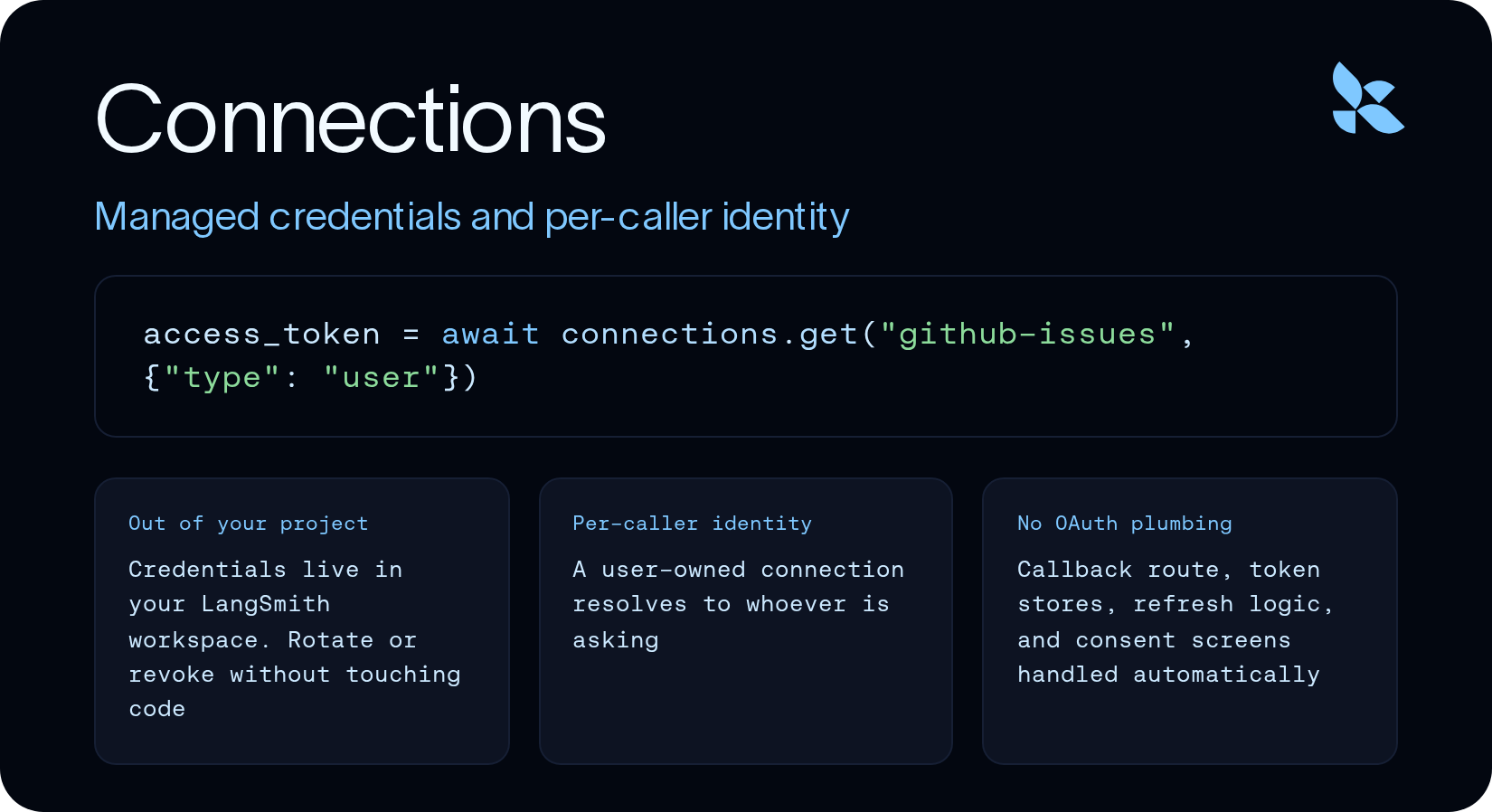
That is what Connections fixes. A connection is a named credential in your LangSmith workspace that your tools read at run time, by slug, through one call.
Two axes
A connection has an owner and a credential type, and they are independent.
The owner is either the agent or the caller. An agent-owned credential belongs to the deployment, and every caller shares it. A user-owned credential resolves per person, at run time.
The credential is either a static secret or an OAuth grant: an agent can hold an OAuth grant, and a user can hold a secret.
Ownership is fixed when you create the connection using mda connections create, and connections.get() only selects among credentials that already exist.
Agent-owned secret
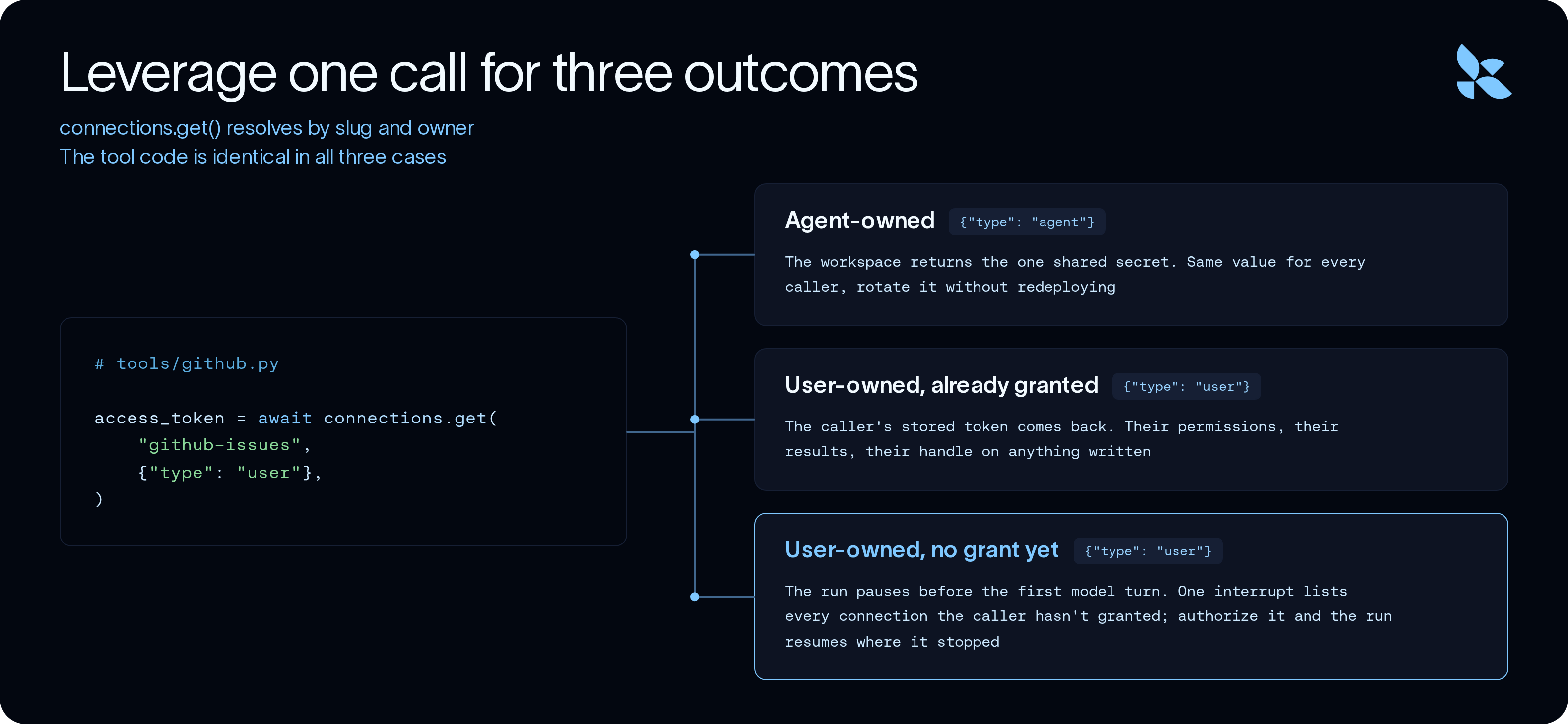
An agent-owned secret is used in situations where you need one credential shared by every caller. This is the right approach for a capability that does not differ per person: web search, a geocoder, a pricing feed.
In this example, let’s configure a connection to Tavily to add a generic web search tool to an agent:
uv run mda connections create tavily-agent --secret-from-env TAVILY_API_KEY
tavily-agent is the slug. It is your name for the connection and the name your code uses, and nothing checks it against a provider list. The value came out of TAVILY_API_KEY and went into your LangSmith workspace. It is not part of the build, and mda deploy does not sweep it in the way it sweeps .env into deployment secrets.
The tool that reads it is an ordinary LangChain tool with one new line leveraging connections.get:
# tools/search_web.py
import httpx
from langchain.tools import tool
from managed_deepagents import connections

@tool(parse_docstring=True)
async def search_web(query: str) -> str:
    """
    Search the web.

    Args:
        query: Search query.
    """
    api_key = await connections.get("tavily-agent", {"type": "agent"})
    async with httpx.AsyncClient(timeout=30.0) as client:
        response = await client.post(
            "<https://api.tavily.com/search>",
            json={"api_key": api_key, "query": query, "max_results": 5},
        )
        response.raise_for_status()
        return response.text
If you need to rotate your key, you can update the secret stored at tavily-agent, and any future agent requests will automatically use the new key.
User-owned OAuth with your own app
Shared tokens are useful, but allowing your agent to act on behalf of your users means you can securely provide more capabilities to your agent. GitHub ships in the connections catalog alongside 22 other services, so you bring a client ID and a secret and nothing else — no authorization URL, no token URL, no auth method to look up.
You can quickly reference the catalog connections with mda connections catalog, but you can connect to any provider which offers OAuth if you bring your own metadata.
For example, to configure a connection to a custom Github OAuth app:
uv run mda connections create github-issues \
  --oauth github \
  --client-id "$GITHUB_CLIENT_ID" \
  --secret-from-env GITHUB_CLIENT_SECRET \
  --scope repo
In this example, github-issues is the slug, which is yours and which your code uses. github is the catalog service, which only decides which endpoints get filled in.
-scope reporeplaces the catalog default rather than adding to it. GitHub's
default isread:user, which cannot open an issue, so whatever you pass becomes
the whole list.
The tools read the token through a helper. In this example, the key line is:
access_token = await connections.get("github-issues", {"type": "user"})
With a single call to connections.get, a deployed agent can automatically either invoke an OAuth flow for a new user or fetch a cached OAuth token for a user who has previously authenticated against the OAuth provider.
We can leverage this access token to make arbitrary API calls to Github:
# tools/github.py
async def _github(method: str, path: str, **kwargs) -> dict:
    access_token = await connections.get("github-issues", {"type": "user"})
    async with httpx.AsyncClient(timeout=30.0) as client:
        response = await client.request(
            method,
            f"{GITHUB_API}{path}",
            headers={
                "Authorization": f"Bearer {access_token}",
                "Accept": "application/vnd.github+json",
                "X-GitHub-Api-Version": GITHUB_VERSION,
            },
            **kwargs,
        )
        response.raise_for_status()
        return response.json()
Notice that we set {"type": "user"}. The agent-owned connection stored a value at create time. This one stored no value at all, only the app registration. The credential arrives per caller, at run time — and if the caller has never authorized GitHub, or their token has expired,connections.get() pauses the run and asks for a grant instead of failing.
That word appears once, inside _github. A search_issues tool and a create_issue tool both inherit per-caller identity from the helper, and a third GitHub tool would cost no auth code at all.
The payoff shows up in two places. search_issues already differs per caller before anything is written, because private repositories one person can see and another cannot change the results — same query, same deployment, different answers. And when create_issue runs, the issue lands in GitHub opened by the person who asked. user.login in the response is their handle, not a bot's.
User-owned OAuth with no app to register
Some MCP servers register the OAuth client themselves. When they do, the whole setup is a URL.
uv run mda connections create linear-mcp --mcp <https://mcp.linear.app/mcp>
# tools/mcp.py
from managed_deepagents import connections, define_mcp

mcp = define_mcp(
    servers={
        "linear": {
            "transport": "http",
            "url": "<https://mcp.linear.app/mcp>",
            "connection": connections.get("linear-mcp", {"type": "user"}),
        },
    },
)
No client ID, no client secret, no app registration. Because the server advertises its OAuth metadata and a client gets registered for you, you don’t need a scope either, and the connection came out with read and write on it, negotiated from the server's own metadata.
Compare that with the GitHub flow: one needed your own app and one needed nothing, and the line of code reading them is the same. The tool code is the part that disappears here — GitHub took a helper and two functions, this takes a server URL, and the tools arrive from the MCP server.
One pause, every missing grant
Ask an agent for something that spans both services and the run pauses before the first model turn, with a single interrupt listing every connection the caller has not granted. Authorize them and the run resumes where it stopped.
There is no callback route in the project, no token store, no refresh logic, no consent screen. The caller never opens LangSmith.
Do the same thing as a second caller and you get a second issue with a different author, from the same agent, the same slug, and the same workspace entry. Contrast that with the Tavily key, which is the same for everyone by design. You can check the connections you or other developers added to LangSmith with:
uv run mda connections list
Getting started
Connections ship in the Managed Deep Agents prerelease, and the OAuth catalog ships inside the binary, so the version you have decides what --oauthaccepts:
uv tool install managed-deepagents
uv run mda connections catalog
An agent-owned credential belongs to a deployment, so scaffold and deploy once before creating one. After that, each connection is three steps — create it, read it with connections.get(), redeploy to ship the code that reads it.
Local development works the same way. Agent-owned connections resolve from MDA_DEV_<SLUG> in .env, uppercased with hyphens as underscores. User-owned connections resolve the signed-in developer to a real principal under mda dev, so the authorization interrupt fires locally and the grant it stores is a real one.
Beyond the three flows above, --authorize stores one OAuth grant for the deployment, so every caller acts as a single shared account — the fourth cell of the owner-by-credential model, and the right answer when you want a dedicated team account rather than per-person identity. --allowed-scope caps what later authorizations may ask for, and --authorize-url with --token-url covers any provider outside the catalog.
For more detail and examples, documentation for Connections can be found at https://docs.langchain.com/langsmith/python/managed-deep-agents-connections